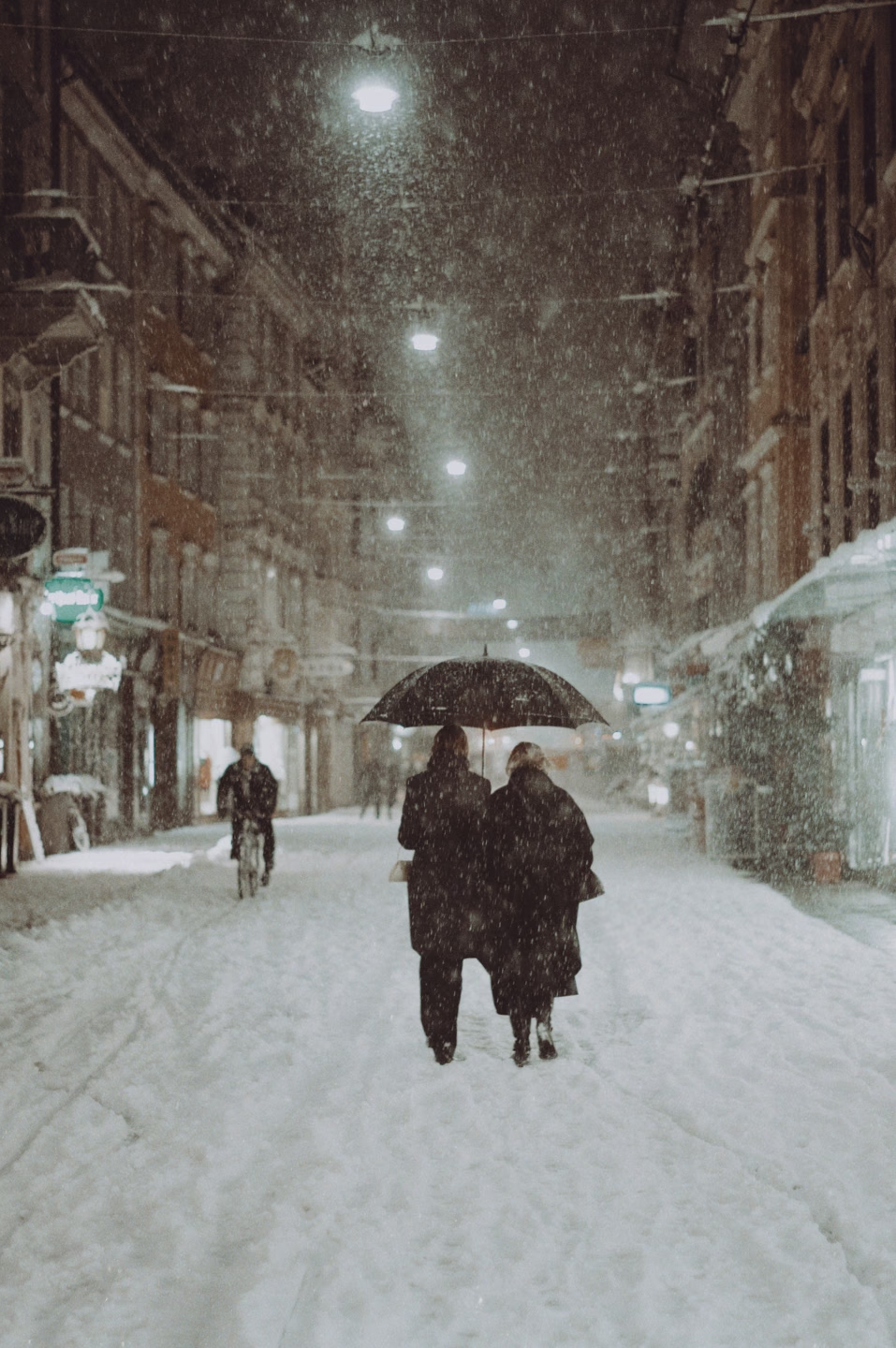
The Fuji X100VI has an obscene number of knobs to turn. Film simulation, grain, color chrome, shadow tone, highlight tone, clarity, and that’s before you start shifting white balance like you’re tuning a radio between stations. Getting from “I know what vibe I want” to actual numbers usually involves clicking through menus until your thumb hurts and your histogram looks vaguely correct.
I stopped doing that and started dropping images into Claude instead, letting it reverse-engineer the recipe from the photograph.
The Prompt
You can’t just throw a JPEG at an AI and say “make it moody.” You need to give it the image and the intent. For this shot (a couple under an umbrella in a Graz snowstorm, January 2013), I used:
Here is a photograph I took in Graz in 2013 during a heavy snowstorm at night. I want a Fuji X100VI film simulation recipe that captures the same mood: cinematic, cold, melancholic, with warm halos from the street lights cutting through the blue-grey dark. The snow should feel soft, not clinical. Give me every setting with a value and a brief reason for each choice.
Claude reads the actual tonal distribution, the color temperature of the sodium lamps, how the shadows fall. The prompt just tells it what emotion to aim for.
The Recipe Claude Spit Out
Film Simulation:   Classic Neg
Grain Effect:      Weak / Small
Color Chrome:      Weak
Color Chrome Blue: Strong
White Balance:     Incandescent  (WB Shift: R -2 / B +3)
Highlight Tone:    -2
Shadow Tone:       -3
Color:             -1
Sharpness:         -1
High ISO NR:       0
Clarity:           +1
Exposure Comp:     -1/3
Why it actually works:
- Classic Neg yanks the greens and yellows out of the street lights and cools the mids. Exactly what the scene already has.
- Color Chrome Blue: Strong deepens the blue in the snow and shadows without making it look like you slapped an Instagram filter on it.
- WB shift R-2 / B+3 keeps the incandescent warmth on the lamps while pushing the rest of the frame toward hypothermia.
- Shadow Tone -3 commits to the darkness instead of trying to pull detail from shadows that should stay black.
- Highlight Tone -2 protects the blown halos around the street lights. They should glow, not clip into pure white squares.
- Clarity +1 adds micro-contrast to the snowflakes and wet cobblestones without making people’s faces look like they’ve been sharpened with a cheese grater.
Why This Beats Forum Recipes
Claude doesn’t just generate plausible numbers. It explains the WHY behind each one. That means you can adapt. Overcast day without the warm lamps? Pull back the WB shift. Want it warmer and nostalgic? Swap Classic Neg for Nostalgic Neg and bump Color to +1.
The recipe isn’t the finish line. It’s a starting point that’s already 90% of the way there, built from YOUR image, not some YouTuber’s Lightroom preset pack.
Try it with one of your own shots. Describe the mood you’re chasing, share the image, and let Claude read the light.